 NL
NL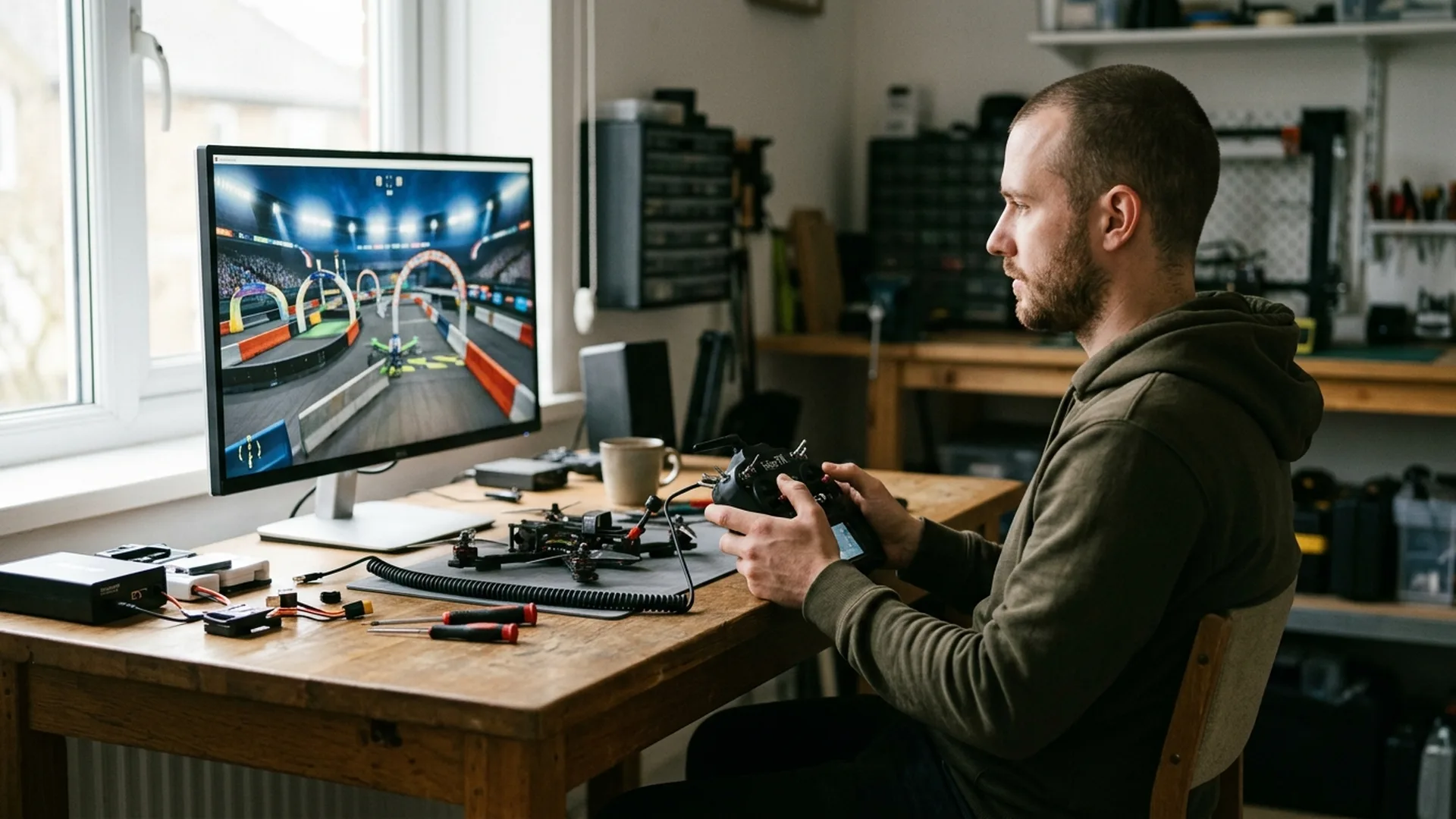
Mastering the art of flying a First Person View (FPV) drone in full Acro (manual) mode is widely regarded as one of the steepest learning curves in modern unmanned aviation. Without automated stabilization, altitude hold, or satellite positioning assistance, every micro-adjustment rests entirely in the hands of the pilot. In the physical realm, a split-second miscalculation invariably leads to costly damage, shattered carbon frames, or sheared motors.
Digital FPV drone simulators have consequently evolved into indispensable training suites for beginners and seasoned commercial cinematographers alike. Simulators deliver a crash-proof virtual environment where pilots can build intuitive muscle memory, rehearse intricate trajectories, and test daring freestyle maneuvers without financial risk. In this comprehensive round-up, we evaluate the industry-standard simulator platforms of 2026, comparing their physics engines, hardware demands, and unique advantages.
Why simulator practice is essential for modern drone operations
Unlike standard camera platforms that hover autonomously when controls are released, an Acro-mode quadcopter requires continuous coordination across four axes: throttle, yaw, pitch, and roll. Developing this tactile muscle memory demands dozens of hours of disciplined stick time. In commercial aerial productions, including our high-precision indoor FPV fly-throughs and fast-paced motorsport tracking shoots, simulator training forms an essential pillar of risk mitigation and route planning.
Simulators also unlock round-the-clock training independent of external weather conditions. Whether facing rain, sub-zero winter temperatures, or heavy winds, flight skills remain sharp. Furthermore, custom rate profiles, camera uptilt angles, and drone weights can be tuned and validated in software before translating those exact PID parameters into physical hardware.
Comprehensive comparison of top FPV simulators
The FPV simulation landscape has matured into distinct specialized categories. While certain simulators prioritize razor-sharp flight physics and lightweight computing loads for competitive racing, newer visual engines focus on vast cinematic landscapes and realistic payload simulation. Below is our detailed breakdown of the leading platforms available across digital storefronts like Steam and independent developer portals.
1. VelociDrone: the gold standard for racing and aerodynamic fidelity
VelociDrone has long held the reputation among competitive pilots as the most authentic aerodynamic simulation available. Its physical response to stick inputs closely mirrors real-world 5-inch racing and freestyle quadcopters. The platform shines brightest with its renowned Nemesis mode, enabling pilots to race directly against ghost lines from their own personal bests or leaderboard records worldwide.
Another key advantage of VelociDrone is its efficient optimization. Its functional visual design allows it to run smoothly on lower-spec laptops and non-gaming computers. The main consideration is that VelociDrone is distributed directly through its own web portal rather than Steam, with extra drone classes and environments offered via DLC add-ons.
2. Liftoff: versatile training with unparalleled community content
Liftoff, developed by LuGus Studios, represents one of the most comprehensive all-round FPV simulators. It features a structured tutorial program specifically designed to guide novices through throttle control, hover discipline, and basic cornering. In addition, its custom parts workshop lets pilots assemble drones by swapping motors, props, frames, and batteries, directly reflecting how weight and thrust alter handling.
Deep integration with the Steam Workshop provides access to thousands of community-crafted race tracks and open freestyle playgrounds. Liftoff also models mechanical propeller damage upon impact, encouraging disciplined spatial awareness and precise trajectory management.
3. TRYP FPV: breathtaking visual fidelity and cinematic tracking
For cinematographers and freestyle creators seeking visual realism, TRYP FPV offers an extraordinary simulation environment. Powered by an advanced graphical engine, the simulator features expansive open-world biomes including alpine mountains, deep canyons, modern cityscapes, and dynamic targets such as chase vehicles, downhill skiers, and cable cars.
While quads in TRYP feel slightly heavier by default compared to VelociDrone, flight parameters are extensively customizable. Prospective pilots should note that maximizing graphical settings requires a high-performance computer with a dedicated modern GPU to sustain high framerates.
4. Uncrashed: fluid freestyle and engaging action sandboxes
Uncrashed has established a strong following among freestyle pilots due to its blend of vibrant graphics, responsive flight dynamics, and creative playground maps. Featuring 19 expansive environments ranging from abandoned industrial ports to futuristic urban rooftops, Uncrashed excels as an engaging sandbox for mastering complex proximity gaps.
Recent updates introducing multiplayer lobbies and integrated map editing tools have further extended its longevity. Although it lacks a dedicated step-by-step beginner curriculum, it serves as an exceptional playground for intermediate and advanced pilots looking to refine freestyle fluidity.
5. Liftoff: Micro Drones: specialized indoor micro-whoop training
Practicing micro-scale indoor navigation requires specialized dynamics that 5-inch simulators cannot replicate. Liftoff: Micro Drones is a standalone simulator engineered specifically for the lightweight micro and cinewhoop category. Navigating through tight living rooms, office cubicles, and warehouse racking simulates the unique inertia and prop-wash characteristics essential for delicate commercial indoor assignments.
| Simulator | Primary Focus | Physics Realism | Visual Quality | Platform |
|---|---|---|---|---|
| VelociDrone | Drone racing & accurate physics | Outstanding | Functional | Standalone (PC/Mac) |
| Liftoff | All-round, tuning & community | Very High | High | Steam (PC/Mac/Linux) |
| TRYP FPV | Cinematic chasing & realism | High to Very High | Photorealistic | Steam (PC) |
| Uncrashed | Freestyle, action & gap dives | High | Very High | Steam (PC) |
| Liftoff: Micro Drones | Indoor micro whoops & cinewhoops | Very High | Very High | Steam (PC/Mac) |
Hardware setup and connecting your radio controller
One of the most critical recommendations for new pilots is to avoid using generic video game controllers or keyboard controls. Gamepad thumbsticks feature short travel throw and a spring-centered throttle, which prevents the development of authentic motor memory. A dedicated radio transmitter with proper hall-sensor or potentiometer gimbals is mandatory for meaningful skill progression.
Modern radio transmitters running open-source operating systems such as EdgeTX or OpenTX connect effortlessly via a single USB-C data cable. Once plugged into your computer, select the USB Joystick prompt on the radio display and calibrate the four primary control axes in the simulator settings. Pilots utilizing compatible DJI remote controllers can similarly connect directly via USB.
Pro tip: create a dedicated model profile in your transmitter firmware named "SIMULATOR" with both internal and external RF transmission modules switched off. This prolongs controller battery runtime and prevents unnecessary RF amplifier heat during extended sessions.
Structured drills to build reliable muscle memory
To maximize training efficiency, pilots should follow a disciplined progression of foundational exercises before attempting high-speed aerobatics:
- Disarm reflex drills: Practice hitting the physical disarm toggle immediately upon an unavoidable collision. In the physical world, cutting motor power instantly prevents burned ESCs and motor stator failure.
- Altitude control and level lines: Maintain a consistent flight ceiling across open terrain while executing level figure-eight turns with coordinated yaw and roll input.
- Controlled spot landings: Practice decelerating into a smooth hover inches above a designated pad before disarming. Controlled landing is an essential skill often overlooked in freestyle practice.
- Proximity gap navigation: Gradually navigate through tighter gates and structural openings to develop precision spatial awareness.
Across our commercial aerial team at our pilot crew and during specialized custom drone engineering projects, regular simulator drills ensure that flight crews maintain flawless reaction times on live production sets.
Bridging virtual proficiency with real-world airspace operations
While modern aerodynamic algorithms achieve remarkable fidelity, virtual environments cannot fully replicate every variable of real-world flight. Real outdoor sorties present unpredictable thermal updrafts, localized wind turbulence, RF signal attenuation, and the natural psychological stress of protecting valuable equipment. Furthermore, European operations mandate strict adherence to EASA airspace regulations and certified operational safety protocols.
Treat the simulator as a permanent training gym. Investing 20 to 30 minutes each week in targeted drills keeps your reflexes razor-sharp, refines your cinematographic lines, and builds total confidence whenever you power on your quadcopter on location.
Frequently asked questions about FPV drone simulators
Which radio controller is recommended for an FPV simulator?
For accurate muscle memory transfer, use a dedicated radio transmitter equipped with full-sized gimbals running EdgeTX or OpenTX (such as RadioMaster or TBS units) or a compatible DJI remote controller. Connect via USB and choose joystick mode for zero-latency control.
Can I run an FPV simulator on a standard laptop or MacBook?
Yes, simulators such as VelociDrone and Liftoff: Micro Drones have lightweight hardware requirements and run smoothly on Apple Silicon MacBooks and standard business laptops. Highly detailed simulators like TRYP FPV or Uncrashed require a capable computer with a dedicated graphics card.
How many simulator hours should I practice before flying a real FPV drone?
Beginner pilots generally require between 10 and 20 hours of focused simulator training to develop consistent Acro mode instincts. This practice embeds automatic muscle memory for throttle, pitch, and yaw management before risking expensive carbon-frame hardware in the real world.
Is real-world FPV flying harder than flying in a simulator?
Real-world flights introduce environmental variables such as wind gusts, video feed noise, and battery voltage sag, alongside psychological pressure to avoid crashes. However, simulator training establishes the crucial motor skills and reflex speed needed for safe real-world operations.