 NL
NL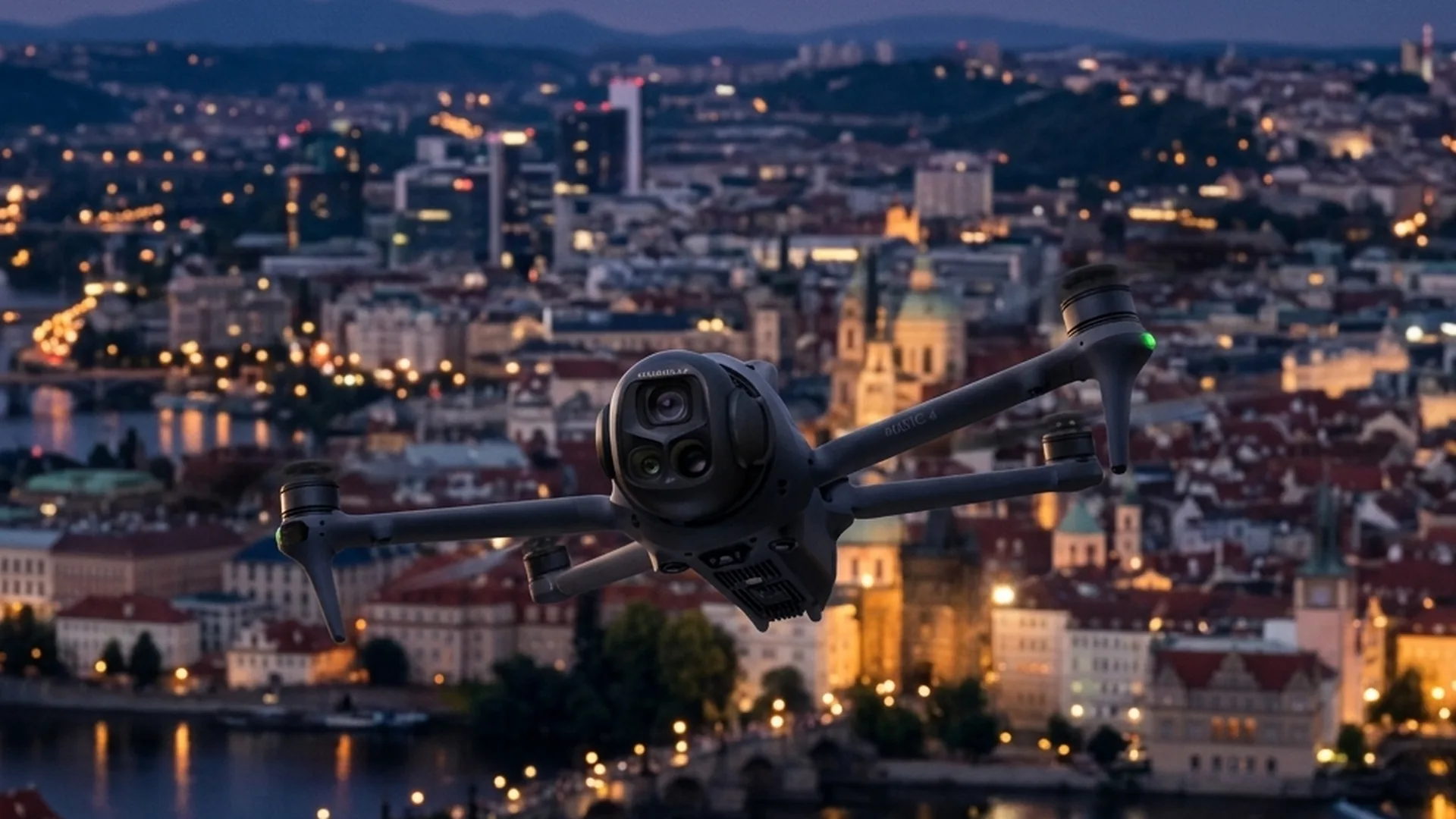
For decades, aerial cinematography was built entirely around the traditional 16:9 widescreen format. Expansive landscapes, real estate showcases, and commercial film sets were framed horizontally to look stunning on televisions and cinema screens. However, the explosive rise of mobile-first video platforms like Instagram Reels, TikTok, and YouTube Shorts has reshaped how audiences consume video content. Today, vertical 9:16 video dominates digital media strategy. Previously, drone operators had to crop horizontal footage in post-production, suffering severe resolution loss, or attach bulky external brackets to rotate their cameras.
Drone industry leader DJI addressed this shift directly by building native vertical video capabilities into almost all of its latest drone generations. From ultra-lightweight travel drones to high-end cinematic platforms, modern aircraft now feature native portrait recording modes. In this comprehensive guide, we cover which DJI drones support vertical video, explain the technical difference between physical gimbal rotation and sensor cropping, and provide step-by-step setup instructions for your social media productions.
The Shift to Vertical Aerial Videography
Cropping a traditional 4K horizontal video (3840 x 2160 pixels) into a 9:16 portrait format leaves behind only roughly 1215 x 2160 pixels. This means over 60 percent of the original camera sensor data is discarded. In low-light environments or high-dynamic-range scenes, heavy cropping introduces unwanted image noise, reduces sharpness, and degrades color grading flexibility. For commercial creators and brands striving to maintain premium quality, this trade-off is far from ideal.
Shooting native 9:16 vertical footage directly from the air yields significant advantages. You retain full camera sensor resolution while framing subject matter precisely on your remote control screen in real time. Vertical orientation naturally highlights tall architecture, soaring waterfalls, dramatic coastal cliffs, and dynamic action shots on smartphone displays.
Which DJI Drones Support Vertical Shooting?
DJI handles vertical video in two primary ways across its drone lineup: true physical gimbal rotation and intelligent sensor cropping. Below is the complete breakdown by series and model.
DJI Mini Series (Lightweight & Physically Rotating)
The Mini series pioneered native vertical shooting. Weighing under 249 grams, these compact aircraft are popular choices among travel creators and digital marketers:
- DJI Mini 5 Pro: The latest sub-249g flagship featuring a 1-inch 50MP sensor, forward LiDAR obstacle sensing, and a mechanical 90-degree rotating gimbal for uncropped 4K/60fps vertical footage.
- DJI Mini 4 Pro: Equipped with omnidirectional obstacle sensing, ActiveTrack 360, and a rotating camera module engineered for true HDR portrait recording.
- DJI Mini 3 Pro & Mini 3: The groundbreaking models that brought True Vertical Shooting to creators worldwide with physical gimbal rotation.
DJI Mavic Series (Professional Film Sets)
High-end commercial cinema drones have also adopted vertical capabilities to accelerate workflow on commercial sets:
- DJI Mavic 4 Pro: Featuring a triple-camera setup and a 360-degree Infinity Gimbal, this flagship camera drone rotates its primary sensor physically into portrait orientation without sacrificing resolution. Read more in our guide on filming drone shows and safety protocols.
DJI Neo & Flip Series (Selfies & Vlogs)
Designed for fast-paced content creation, these compact drones offer intelligent sensor cropping:
- DJI Neo 2 & DJI Neo: Palm-sized drones with AI subject tracking that output ready-to-share 4K vertical clips for social platforms.
- DJI Flip: A beginner-friendly drone featuring protective propeller guards and simple one-touch flight modes for social media stories.
DJI Air Series (Dual-Camera Performance)
The Air series balances portability with telephoto versatility for enthusiasts and professionals:
- DJI Air 3S & Air 3: Dual-camera drones that generate 2.7K vertical videos by cropping their high-resolution sensors vertically. Explore our fleet on the cinema drones service page.
Physical Gimbal Rotation vs. Intelligent Sensor Cropping
Understanding the distinction between physical rotation and sensor cropping is key when choosing the right drone for your workflow. With True Vertical Shooting, the gimbal hardware physically pivots the camera module 90 degrees. This uses the sensor's full surface area in portrait orientation, delivering pristine 4K or 6K vertical files.
Conversely, intelligent sensor cropping keeps the camera positioned horizontally while the drone's processor crops a 9:16 frame from the center of the sensor, usually capping output at 2.7K resolution. While 2.7K is clean for mobile feeds, physical rotation offers greater detail for professional editing and grading.
| Drone Model | Vertical Shooting Mode | Max. Resolution | Key Advantage |
|---|---|---|---|
| DJI Mini 5 Pro / Mini 4 Pro | Physical Gimbal Rotation (90°) | 4K (3840 x 2160) | Full sensor resolution & HDR |
| DJI Mavic 4 Pro | Infinity Gimbal Rotation | 6K / 4K Vertical | Uncompromised image quality for cinema |
| DJI Air 3S / Air 3 | Intelligent Sensor Crop | 2.7K (1512 x 2688) | Quick orientation toggle with dual lenses |
| DJI Neo 2 / Neo / Flip | Intelligent Sensor Crop | 4K / 2.7K Crop | Instant social media export for Reels/TikTok |
Step-by-Step: Enabling Vertical Mode in DJI Fly
Switching to vertical mode on supported DJI aircraft takes just seconds inside the DJI Fly application interface. Follow these steps:
- Connect Your Aircraft: Power on your drone and controller, opening the live camera view in the DJI Fly app.
- Toggle Orientation: Tap the Landscape/Portrait icon located on the right sidebar of your camera view screen. On rotating models, you will hear the gimbal turn 90 degrees.
- Assign Custom Buttons: Map the C1 or C2 button on the back of your controller to 'Gimbal Rotate' or 'Portrait Mode' for instant toggling while flying.
- Utilize DJI RC Pro 2: If flying with the DJI RC Pro 2 controller, rotating the physical screen automatically switches supported drones between landscape and portrait views.
Key Considerations and Operational Limits
When shooting vertical content professionally, pilots should keep specific operational parameters in mind. On certain models (like the Air series), vertical shooting is limited to standard video recording, meaning photo or slow-motion modes require post-production cropping.
Additionally, for sensor-crop models (such as the Neo and Air series), vertical mode must be selected prior to tapping record; orientation cannot be changed mid-flight. For older drones lacking native vertical modes, enable the **9:16 Frame Guide** in the camera settings overlay. This displays a vertical bounding box on screen so you can frame subjects accurately for post-production cropping.
For commercial flights across Europe, operators must adhere to EASA drone regulations and airspace authorizations. Learn more about licensed operations on our drone pilots page.
The Future of Vertical Aerial Content on Social Media
Vertical aerial videography has transitioned from a social media trend into an industry requirement. What started as quick mobile clips is now standard practice for global branding campaigns, commercial real estate showcases, and event coverage. By leveraging DJI drones with True Vertical Shooting, creators capture maximum detail while eliminating post-production crop workflows.
At Drone Department, we combine state-of-the-art camera systems with deep operational expertise on set and live venues. Whether deploying nimble FPV drones or heavy-lift cinema rigs, selecting the right aspect ratio ensures your visuals deliver maximum engagement on every screen.
Frequently Asked Questions About Vertical Drone Filming
What is the advantage of a rotating gimbal over sensor cropping?
A physically rotating gimbal uses the camera sensor's full surface area in 9:16 orientation, delivering full 4K or 6K resolution with uncompromised detail and dynamic range, whereas cropping reduces resolution to 2.7K.
Can all DJI drones shoot vertical video natively?
No, older models like the Mini 2 or Mavic 2 require post-production cropping. Newer models in the Mini series (Mini 3, 4 Pro, 5 Pro), Mavic 4 Pro, Air 3/3S, and Neo/Flip support native vertical video modes.
Does obstacle avoidance remain active in vertical mode?
Yes, on advanced drones like the Mini 4 Pro and Mavic 4 Pro, omnidirectional obstacle avoidance systems remain active when the camera rotates 90 degrees.
How can I film vertically with an older drone model?
Enable the '9:16 Frame Guide' in the DJI Fly camera settings. This overlays a vertical guide grid on your screen to help you keep subjects centered during flight before cropping in editing software.