 NL
NL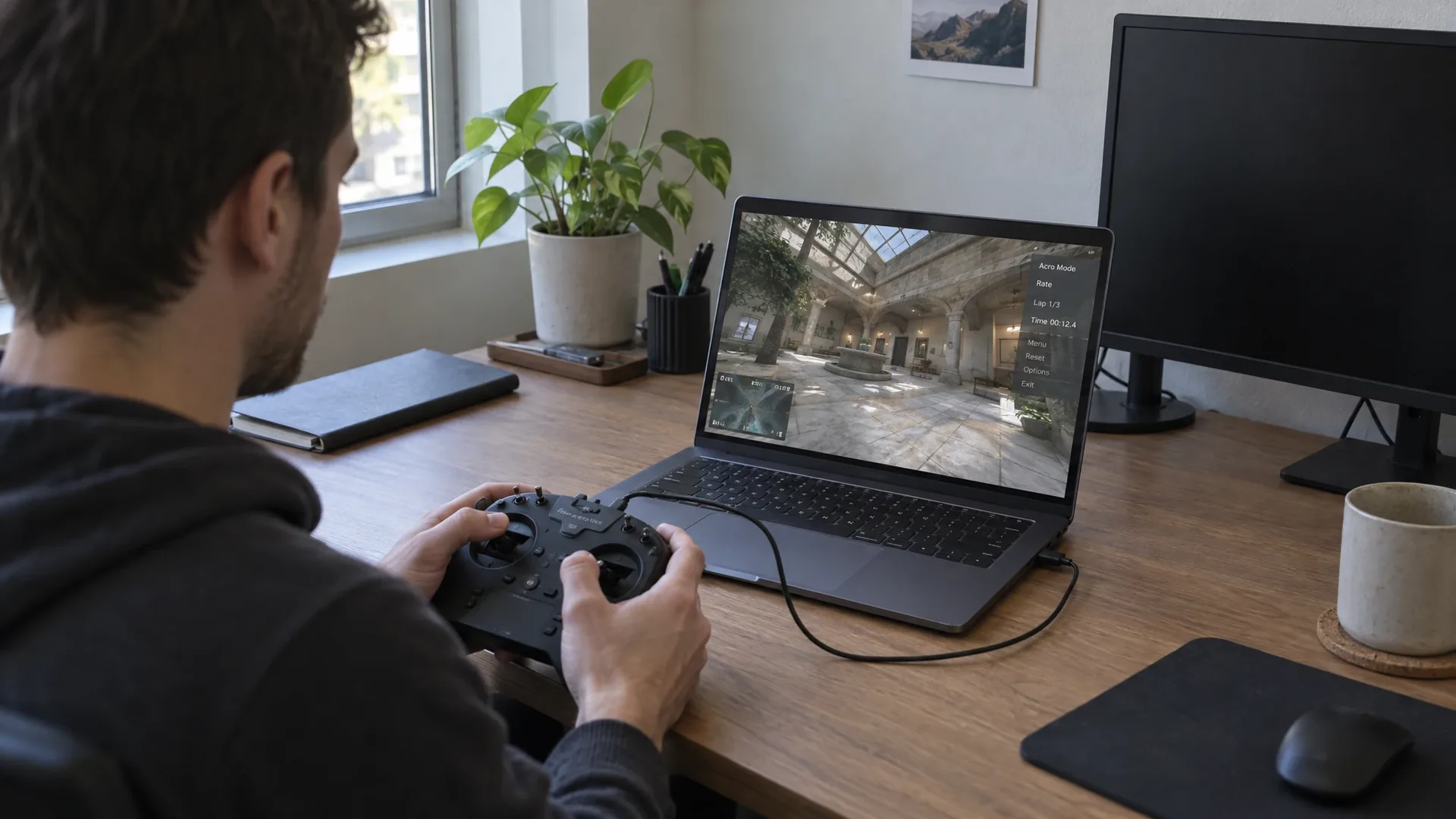
ShramkoGSFPV is a free FPV simulator that runs entirely in the browser. You open a page in Chrome, connect a radio over USB and fly, with no installation, account or licence. The project has been in alpha since September 2026 and targets pilots who want to practise the feel of a real quad without risking hardware.
The source code is published under the MIT licence on GitHub, where the developer also maintains the current status, known limitations and safety warnings. That makes the project relevant to anyone setting up FPV lessons, demos or training sessions without buying a commercial licence per seat.
What the simulator does
ShramkoGSFPV simulates a small nano racer, the class of quad around two inches that you fly indoors and in tight outdoor locations. You pick a scene, pick a radio layout and take off. Mode 1 and mode 2 are both supported, as are an acro mode and a stabilised mode for pilots who are not yet used to manual correction. Camera field of view and tilt are adjustable, so you can practise a setup with a wide or a narrow camera angle.
The settings FPV pilots are used to are present as well: PID values and rates in the Betaflight style, plus the option to record flights in scenes that have been cleared for it. That last feature makes the simulator usable for reviewing a line or a corner, not just for flying.
How it works under the hood
The simulator renders with WebGPU, the graphics interface that gives the browser direct access to the GPU. The engine is PlayCanvas. Because WebGPU is newer than WebGL, the whole thing runs in Chromium browsers and not in every browser.
The environments come from Gaussian Splatting: instead of a classic 3D model, a space is built from millions of small semi-transparent points that together form a photorealistic image. Those scenes are produced with SuperSplat, a free web editor for that file format. The project page lists more than 1,300 available scenes, from living rooms and offices to outdoor locations.
Collisions are computed with a swept voxel approach on five centimetre voxels. The simulator therefore checks not only where the quad is, but also which space it crossed between two frames. At speeds where a quad covers several metres in a single frame, that is what stops you flying through walls. Scene scale is adjustable from a quarter to one hundred times, so a scanned living room can serve as a large field or as a miniature course.
Rates compared against Betaflight
The hard part of a simulator is not the image but the feel. ShramkoGSFPV compares its rate curves against Betaflight 4.5.1: across 1,880 sample points the output matched with zero deviation. For pilots who have tuned their rates in Betaflight and want the same response in the browser, that is the most important number on the page.
You connect a radio through WebHID, the browser interface for USB devices. So far the developer has tested with a simulated EdgeTX radio, so it is not guaranteed that your specific radio is recognised straight away. Without a radio you can also fly with a gamepad, keyboard or touchscreen, but that lacks the precision of real sticks. For muscle memory training, a physical radio with hall-effect gimbals is the only serious option.
What you do and do not practise in a browser
The value of a browser simulator is the low barrier. No installation, no licence, no update cycle: sharing a link is enough. For an instructor that means a new member can start practising within a minute, and for a team working across locations it means one agreed way of flying a line.
What the simulator does not do is replace a real flight. There is no radio link with signal loss, no antenna pattern, no blackout behind a concrete wall, no battery sagging after two minutes and no quad that needs a new arm after a crash. Nor does it teach you permits, airspace or safety procedures. Anyone using digital simulators in a training programme should make that distinction explicit.
For the broader trade-off between packages and platforms, our FPV drone simulator comparison guide sets out the options. How to combine simulator time with stick time on the mat is covered in our article on risk mitigation and FPV muscle memory. And for the step towards a real job, our safety protocols for indoor FPV on film sets describe what flying between actors and crew involves.
How to get started
- Browser. Use a Chromium browser with WebGPU support, such as Chrome or Edge.
- Radio. Connect an EdgeTX radio over USB, or start with a gamepad if you only want to judge the image.
- Scene. Choose an environment and set the scale to the size you want to practise.
- Rates. Carry over your own Betaflight settings so the feel matches your own quad.
- Recording. Record flights in cleared scenes to review your line afterwards.
ShramkoGSFPV on video
The video below shows how the simulator flies in practice. Watch the Gaussian Splatting environment, how the quad behaves when it touches a wall, and how responsive the controls are.
For a training programme it is worth testing the simulator yourself on the hardware you actually use in the classroom. On a laptop with a modern integrated GPU it runs smoothly, but that says nothing about an older machine in a training room.
Frequently asked questions about ShramkoGSFPV
What is ShramkoGSFPV?
ShramkoGSFPV is a free FPV simulator that runs in the browser. No installation and no account are needed: you open the page, connect a radio over USB and choose an environment. The project simulates a small nano racer and has been in alpha since September 2026.
Which hardware and browser does it need?
The simulator uses WebGPU for rendering, so you need a Chromium browser with support for that interface, such as Chrome or Edge. The radio connects through WebHID, also a Chromium interface. The project page lists 1,300 or more scenes built from Gaussian Splatting.
Are the flight characteristics realistic?
According to the developer, the rate curves were compared against Betaflight 4.5.1, where 1,880 sample points matched with zero deviation. Collisions are computed with swept voxel collision on five centimetre voxels. The flight model therefore follows the settings you use on your own quad, but it does not replace a real radio link.
Will my own radio work with the simulator?
The connection runs over WebHID, the browser interface for USB devices. The developer has tested with a simulated EdgeTX radio so far, so not every radio is guaranteed to be recognised straight away. Without a radio you can fly with a gamepad, keyboard or touchscreen, with less precision.
What can you not practise in a browser simulator?
No radio link with antenna pattern and signal loss, no blackout behind concrete, no battery ageing, no maintenance or repair after a crash and no airspace, permits or safety procedures. Those parts still require real flight time under supervision.